Showing posts with label Navigation. Show all posts

1 August 2022

How to navigate to another page in MAUI

 1) Go to APP.xaml.cs page and update as below

public App()

{

InitializeComponent();

        MainPage = new NavigationPage(new MainPage());

    }

2) Create New page (NavigationPageEXP1)

3) Go to Mainpage.xaml and add below code

 <ScrollView>

        <VerticalStackLayout>

            <Label Text="Main Page"

               FontSize="12" />

            <Button

                x:Name="BtnNavigation"

                Text="Go to Navigation Page EXP1"

               Clicked="BtnNavigation_Clicked"

                HorizontalOptions="Center" />

        </VerticalStackLayout>

    </ScrollView>

4) Go to Mainpage.xaml.cs and add below code

private void BtnNavigation_Clicked(object sender, EventArgs e)

{

Navigation.PushAsync(new NavigationPageEXP1());

}

5) Go to NavigationPageEXP1.xaml and add below code

 <VerticalStackLayout>

        <Label 

            Text="Welcome to Navigation Page EXP1 !"

            VerticalOptions="Center" 

            HorizontalOptions="Center" />

        <Button

                x:Name="BtnNavigation"

                Text="Go to Main Page"

               Clicked="BtnNavigation_Clicked"

                HorizontalOptions="Center" />

    </VerticalStackLayout>

6) Go to NavigationPageEXP1.xaml.cs and add below code

private void BtnNavigation_Clicked(object sender, EventArgs e)

{

        Navigation.PushAsync(new MainPage());

    }


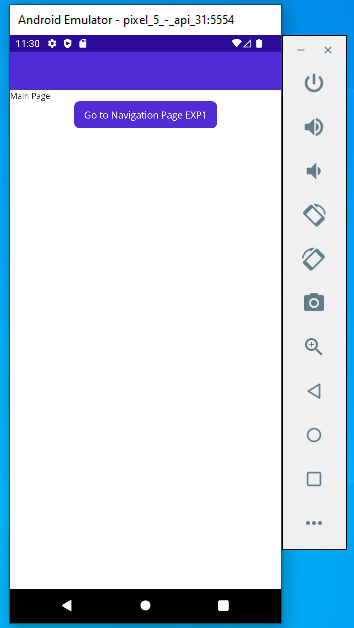
Output:

Main Page:


NavigationPageEXP1:


2 February 2020

Navigation in React Native


  • Install react-navigation in project as below image
    • npm install react-navigation
    • npx expo-cli install react-native-gesture-handler react-native-reanimated react-navigation-stack

  • Add src folder
  • Add screens folder under src
  • Add HomeScreen.js file under screens folder & add below code in that file
import React from 'react';
import { StyleSheetTextView } from 'react-native';

export default function HomeScreen() {
  return (
    <View style={styles.container}>
      <Text>Adi here...</Text>
    </View>
  );
}

const styles = StyleSheet.create({
  container: {
    flex: 1,
    backgroundColor: '#fff',
    alignItems: 'center',
    justifyContent: 'center',
  },
});
  • Go to App.js file and update below code
import { createStackNavigatorcreateAppContainer } from 'react-navigation';
import HomeScreen from './src/screens/HomeScreen'

const navigator = createStackNavigator(
  {
    Home: HomeScreen
  },
  {
    initialRouteName: 'Home',
    defaultNavigationOptions: {
      title: 'App'
    }
  }
);

export default createAppContainer(navigator);
  • By using above code, when you start application it will go to HomeScreen.