
- Open Visual studio code
- Go to File menu and Open Folder. then select you project folder as below image
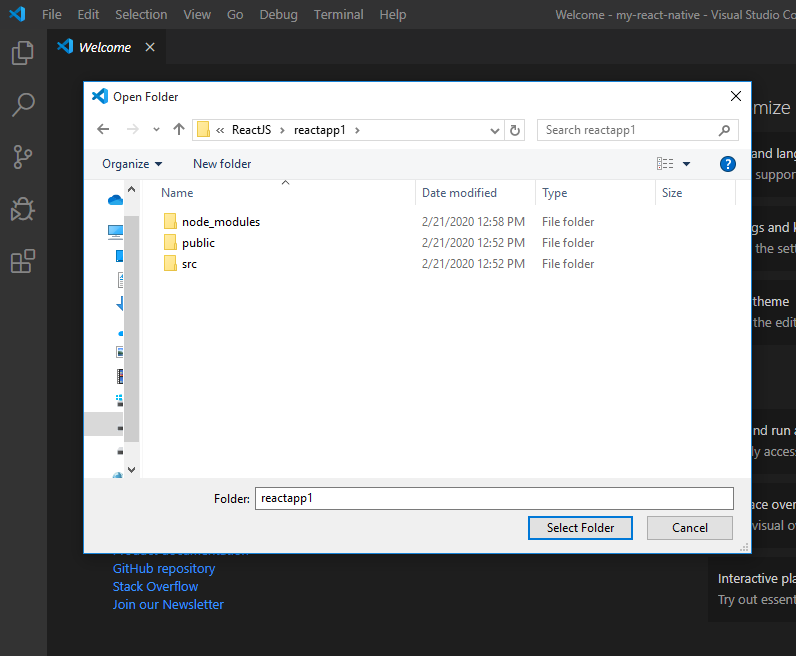
- select project folder as above image and it will open like below image.

- Now open Terminal (Go to Terminal menu and click on new terminal) then it will open like below image

- Now we can run project from terminal using below command (as below image)
- npm start

- Finally react project up and running on URL: (http://localhost:3000/) and output we can see as below image

- To stop react project just press ctrl+C in command prompt. Then it will ask (Terminate batch job(Y/N)? then press Y.
- Then it will stop running the react project. as below image

